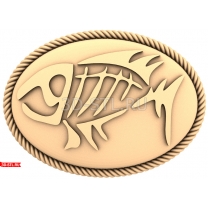
3D modeling from any photo in ArtCAM
Training video course on professional 3D modeling in ArtCAM from scratch.
Analysis of creating 3D models From simple (geometric elements) to complex (icons, paintings, etc.)
Combination of theory and practice;
Voiceover throughout the entire video;
Full training with analysis of all the nuances;
Learning all the program tools.
Simplicity and accessibility material;
Exclusivity (the only complete video course of its kind on modeling in ArtCAM);
Easy to learn.
After completing this course, you will be able to create a 3D model of the highest quality absolutely any sketch/photo. You won't spend a lot of time creating a 3D model, using all the invaluable knowledge gained in our video tutorials.
Attached is a 3D model of the icon created from scratch in our video course.
Details course:
-
The training is conducted in the form of a video lesson, which allows you to review the material if you suddenly forgot it;
-
The training itself takes place in ArtCAM 2011 and partially ArtCAM 9;
-
The entire training is divided into 4 main topics: creating and editing vectors; creating and editing relief; working with a sculptor; bringing the model to perfection, elaborating small details. Each part consists of theory and practice;
-
Absolutely all program modeling tools (90 pieces) are considered. Each tool is emphasized, its operating principle is demonstrated using simple examples, and then complex ones;
-
After the theoretical part (using the program tools on simple examples), the practical part begins - modeling a complex icon from scratch;
-
All 3D models are created using the principle shown in the course using the icon as an example;
-
Thus, after completing the course, you will be able to create any 3D model for CNC.
This video material is completely exclusive - no analogues no.

.jpg "3D modeling from any photo in ArtCAM")